
AgilityLog1.0.32 - Google Play
You'll be able to see results in few seconds.
Publisher Description
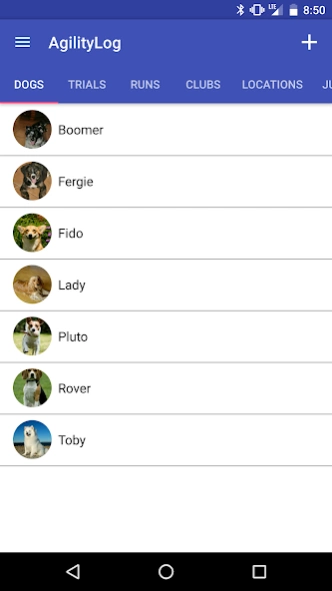
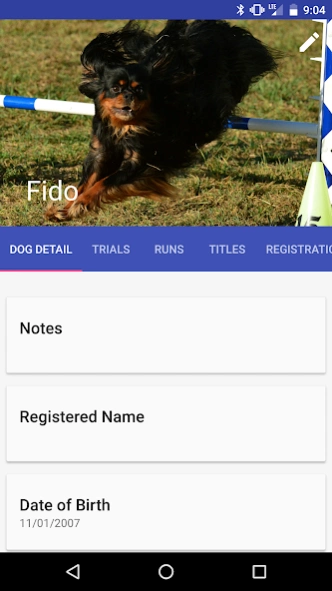
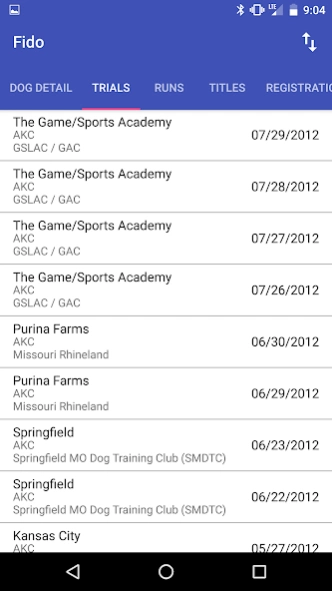
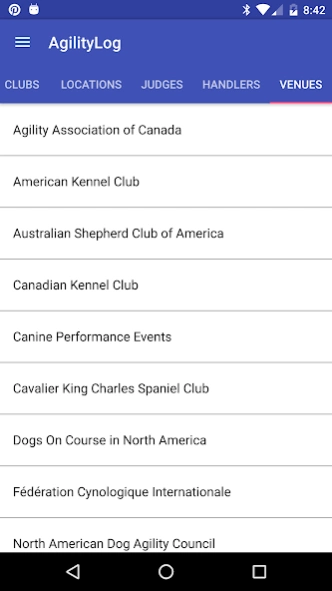
All-venue agility competition record book for your phone or tablet.
Based on the popular Agility Record Book program, AgilityLog can use your
existing ARB data, or you can use it standalone.
All venues are supported - AKC, CPE, DCAA, NADAC, and many others. No
additional purchases needed. All performance levels and events. Comes preloaded
with event and title data for all venues.
Keep records on one dog, or many, as they progress through competition.
Link to photos and videos of your runs and titles. Record the course map from each
run.
Store club and event location information for easy reuse. Link to Google Maps to
help you navigate to unfamiliar event locations, and find nearby restaurants and
hotels.
Sort and export the runs to spreadsheets for unlimited analysis potential. Backup
and restore feature protects your data.
Store reference notes on Clubs, Locations, and Judges, as well as detailed
information about your dogs.
Share run results, videos, and pictures through social media such as Twitter,
Facebook, Google+, email, and many other methods.
This app runs on Android phones and tablets - no iOS devices. Uses Android’s
SQLite Database engine for robust capabilities and performance. Support is
provided through a dedicated Google+ Community.
***NO ADS***
About AgilityLog
The company that develops AgilityLog is Rufflez. The latest version released by its developer is 1.0.32.
To install AgilityLog on your Android device, just click the green Continue To App button above to start the installation process. The app is listed on our website since 2018-10-17 and was downloaded 0 times. We have already checked if the download link is safe, however for your own protection we recommend that you scan the downloaded app with your antivirus. Your antivirus may detect the AgilityLog as malware as malware if the download link to com.rufflez.agilitylog is broken.
How to install AgilityLog on your Android device:
- Click on the Continue To App button on our website. This will redirect you to Google Play.
- Once the AgilityLog is shown in the Google Play listing of your Android device, you can start its download and installation. Tap on the Install button located below the search bar and to the right of the app icon.
- A pop-up window with the permissions required by AgilityLog will be shown. Click on Accept to continue the process.
- AgilityLog will be downloaded onto your device, displaying a progress. Once the download completes, the installation will start and you'll get a notification after the installation is finished.
Program Details
System requirements
Download information
Pricing
Version History
version 1.0.32
posted on 2018-10-18
Fixed a bug where editing a run would miscalculate yards per second
version 1.0.28
posted on 2016-10-25
***Fixed issue where all dates with October being saved incorrectly as 010 instead of 10. This should only affect October dates, please send support email if you need your data corrected.,***Updated libraries to current versions.
Disclaimer
Official Google Play Link
We do not host AgilityLog on our servers. We did not scan it for viruses, adware, spyware or other type of malware. This app is hosted by Google and passed their terms and conditions to be listed there. We recommend caution when installing it.
The Google Play link for AgilityLog is provided to you by apps112.com without any warranties, representations or guarantees of any kind, so access it at your own risk.
If you have questions regarding this particular app contact the publisher directly. For questions about the functionalities of apps112.com contact us.
